PRODUCT CONCEPT
2026
P
I
L
E
G
O
Scan your pile. Design something serious. Build it.
Tablet app for ages 8–13, 13–16 and 16+
Every family has a box of mixed bricks
Nobody knows what's in it
Thousands of parts from old sets, the instructions long gone.
Or what it could become
Free building stalls when there is no plan to follow.
Simple models get boring
Older kids and adults want real buildings, machines and mechanics.
How it works
01
Scan the pile
The camera recognises every brick and Technic part: shape, size, colour.
02
Pick or describe
A model from the library, or a new one AI designs from your parts only.
03
Build page by page
A full instruction booklet in stages, with a 3D model you can turn.
04
Collect
Every finished model goes into the collection, with badges along the way.
Three age groups, one app
8–13
Explorer
Classic scale, up to 800 parts. Simpler shapes, shorter booklets.
13–16
Builder
Detailed scale, up to 3,000 parts. Technic functions, physics projects.
16+
Architect
Master scale, no limit. 10,000-part landmarks, weekend builds.
01 · SCAN
Spread it out. No sorting.
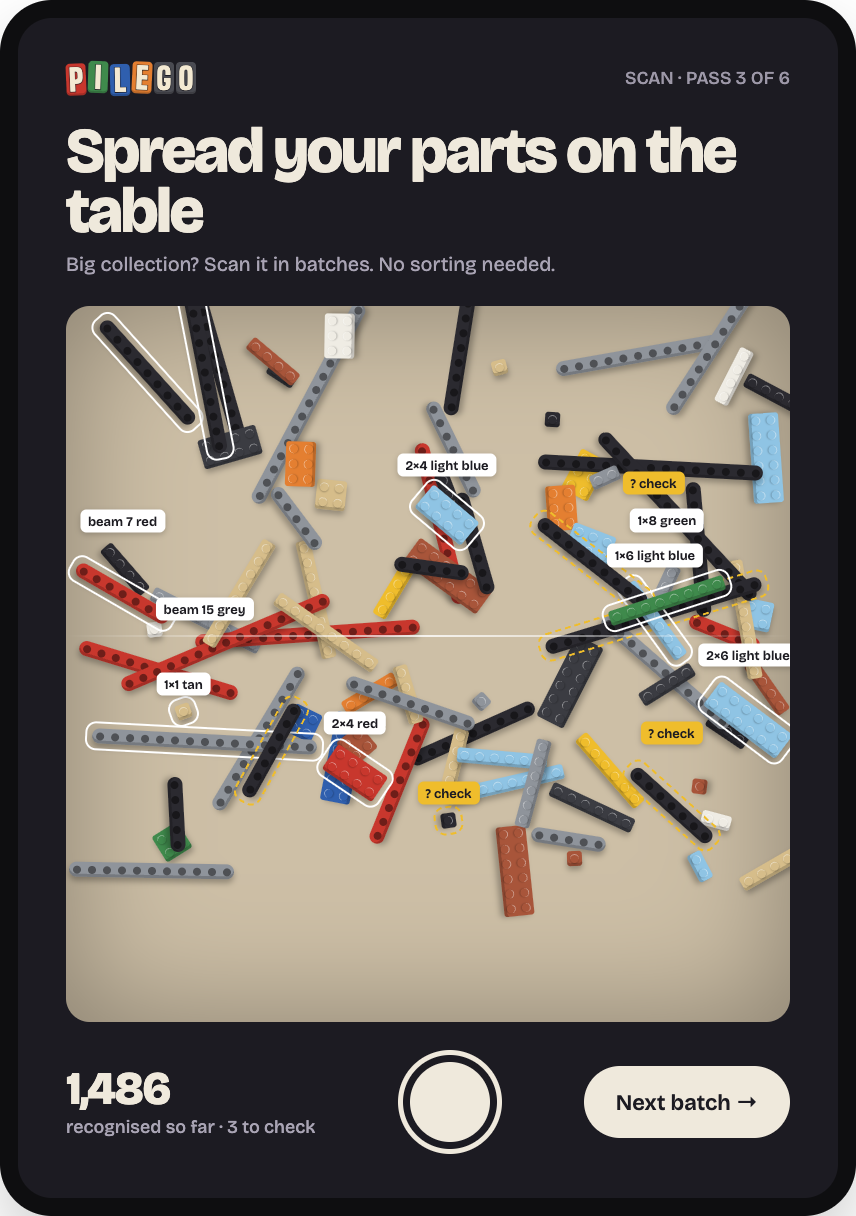
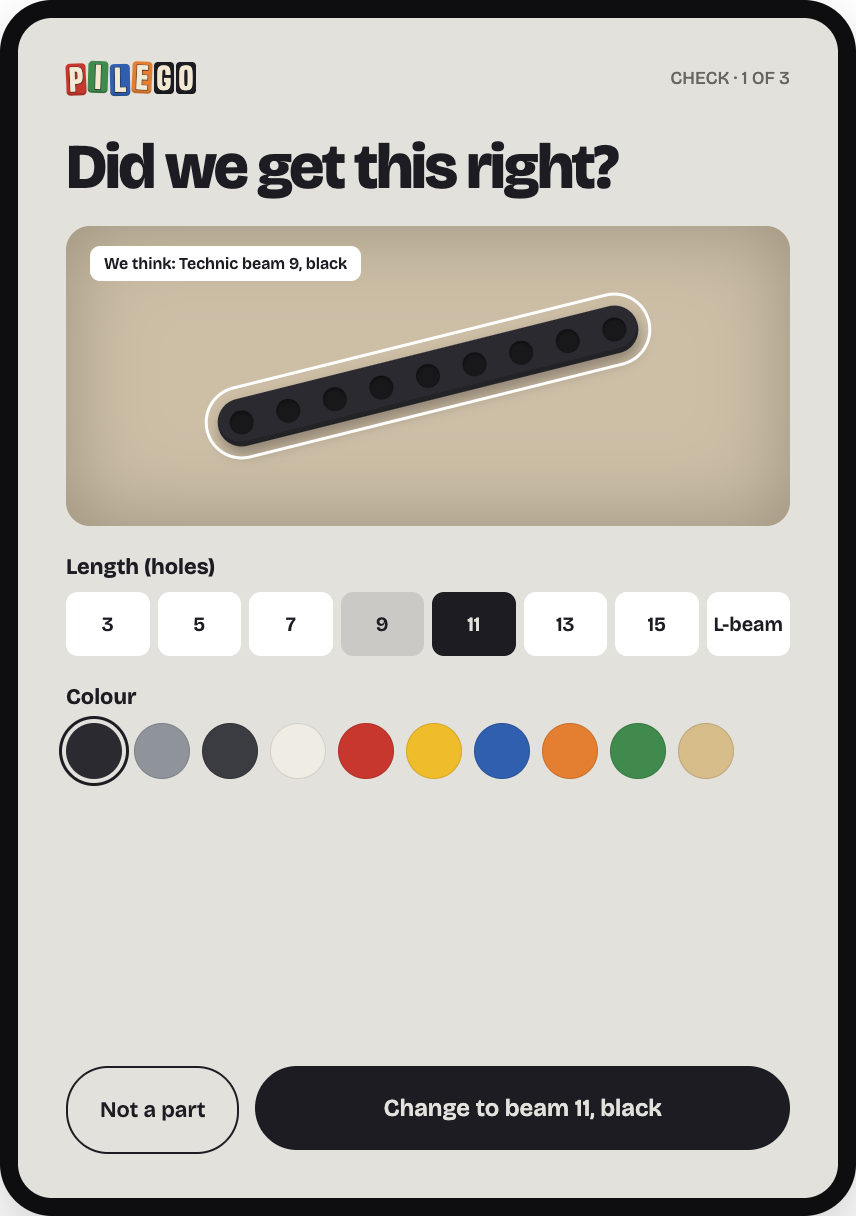
Big collections are scanned in batches. Parts the camera isn't sure about are flagged in yellow, and the kid corrects them in two taps.
YOUR PARTS
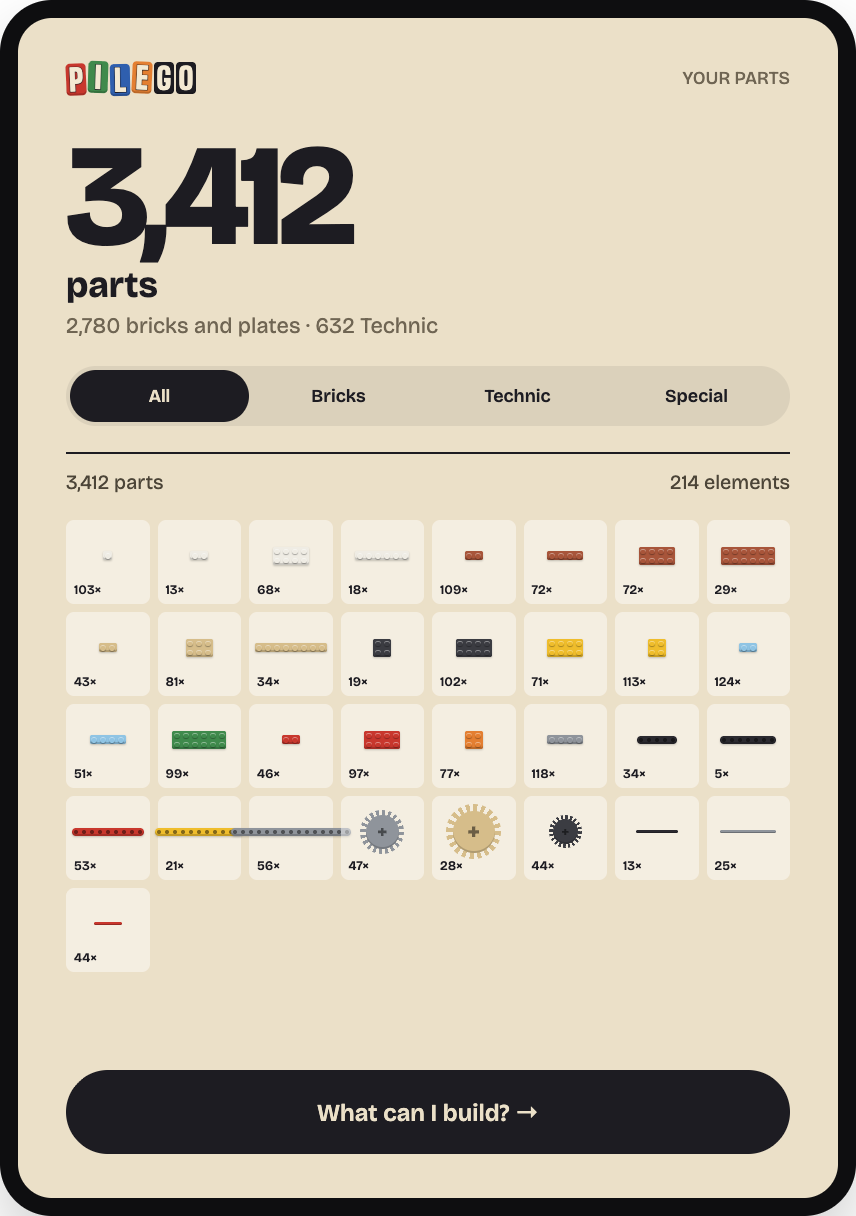
3,412
parts, 214 different elements
Bricks, plates and Technic beams, gears and axles in one inventory. Everything the app suggests is built from this list.
02 · EXPLORE
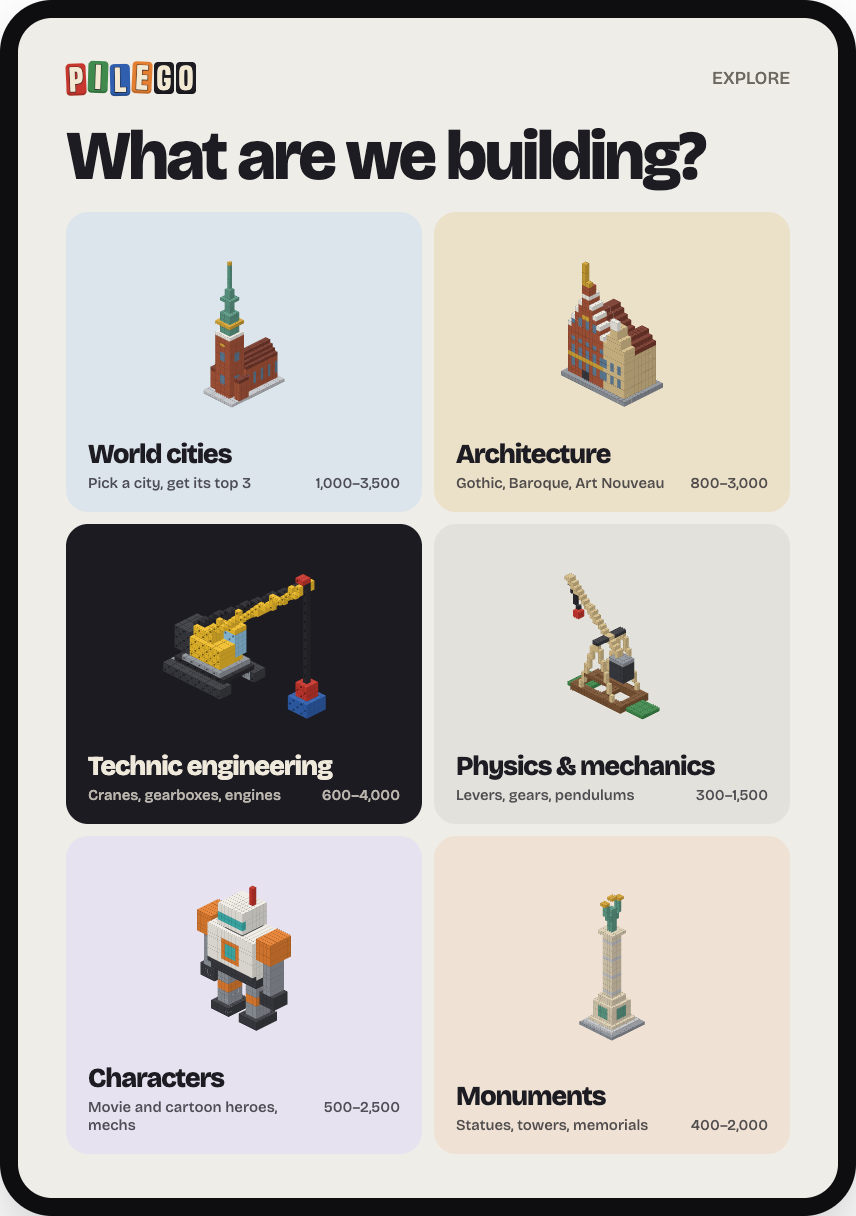
Six worlds to build
World cities, architecture, Technic engineering, physics and mechanics, characters, monuments. Pick any city and get its top 3 landmarks.
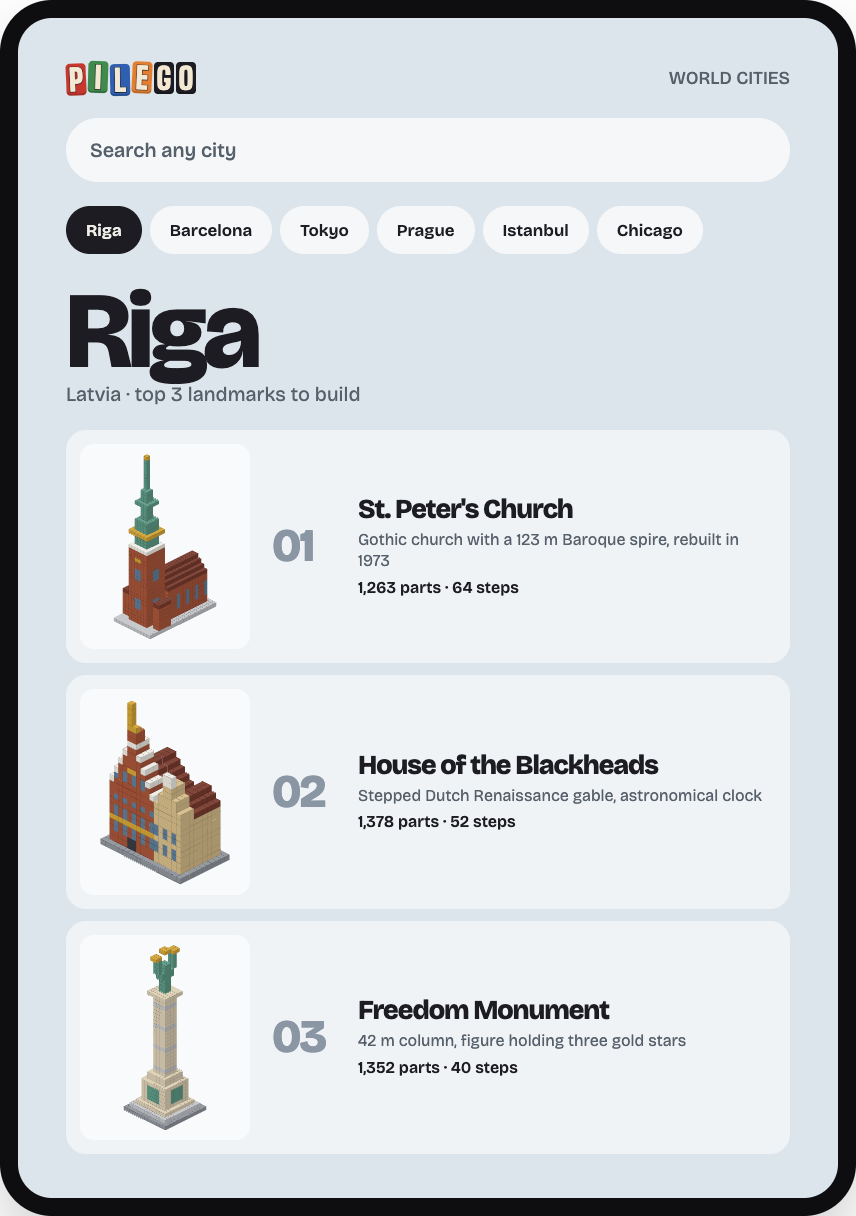
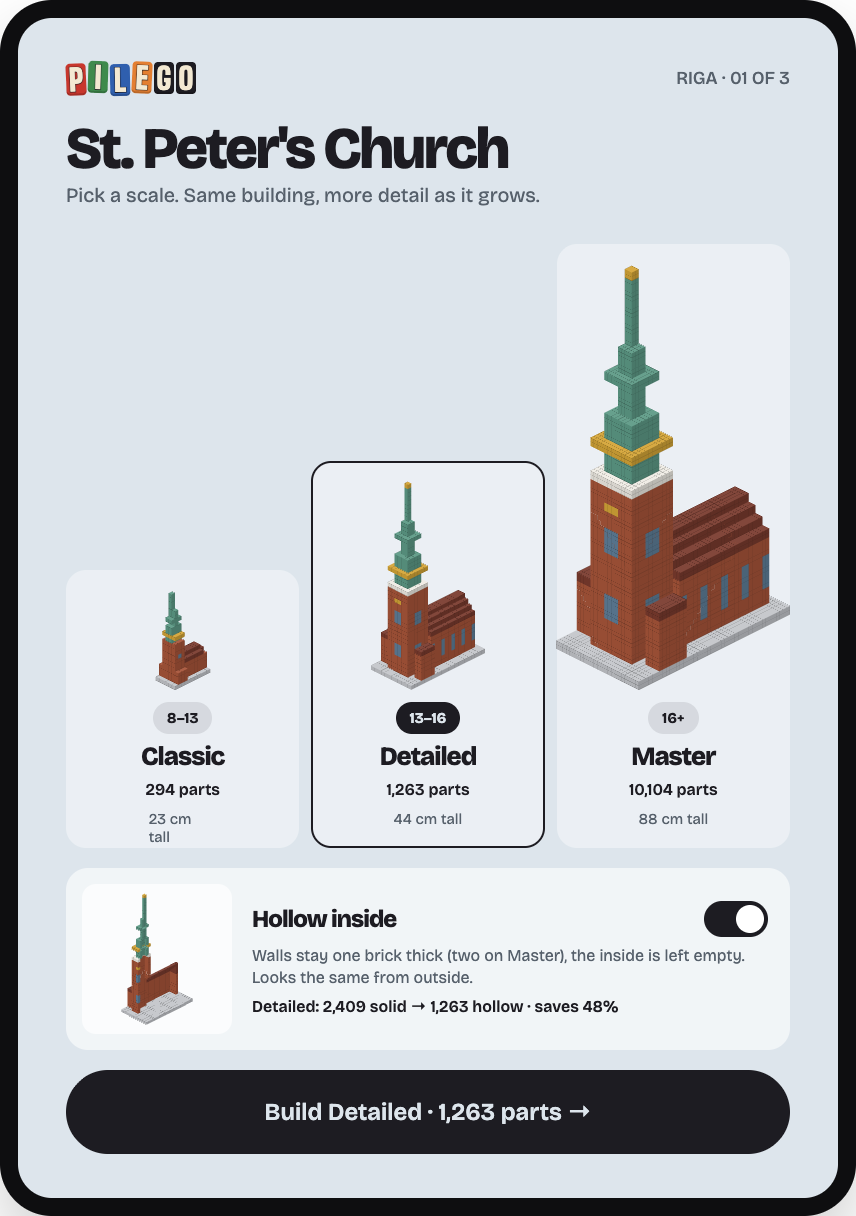
SAME BUILDING, THREE SCALES
From 294 to 10,104 parts
Classic · 8–13
294 parts · 23 cm
Detailed · 13–16
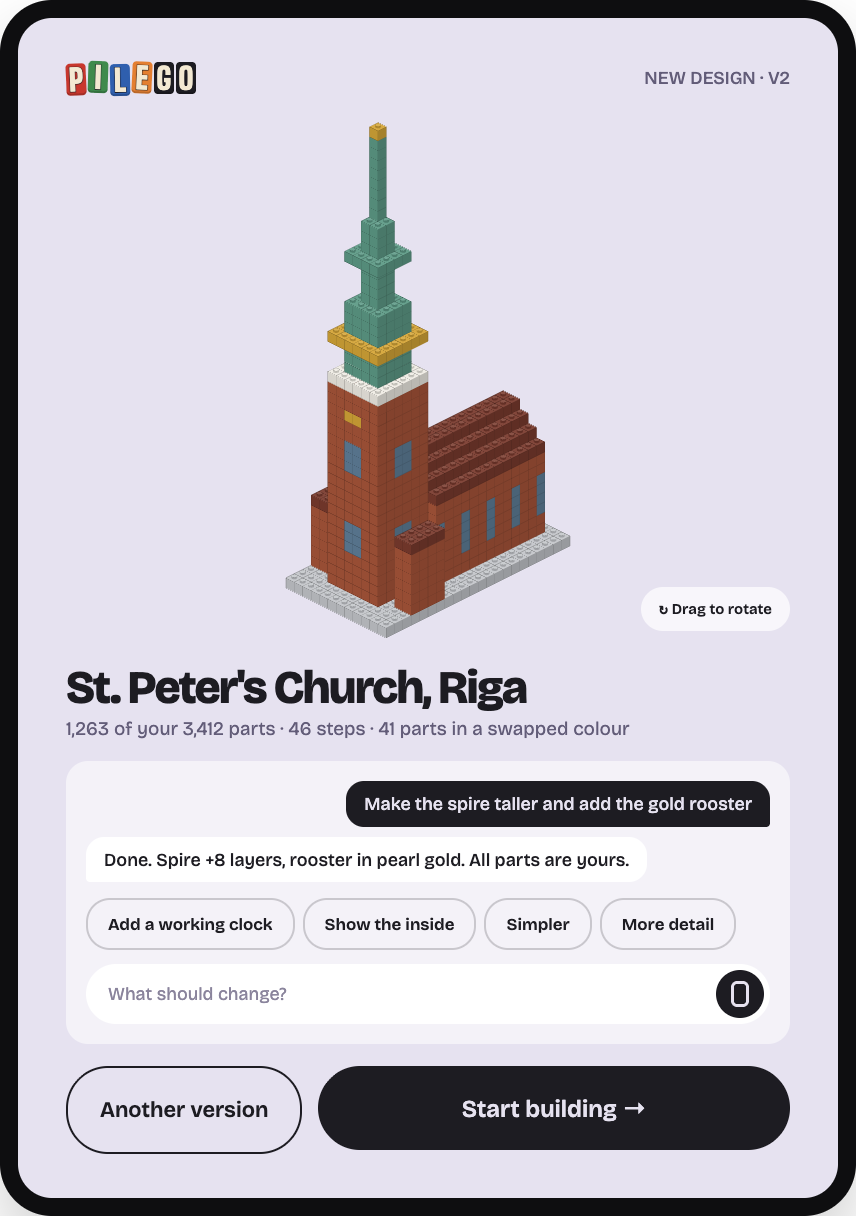
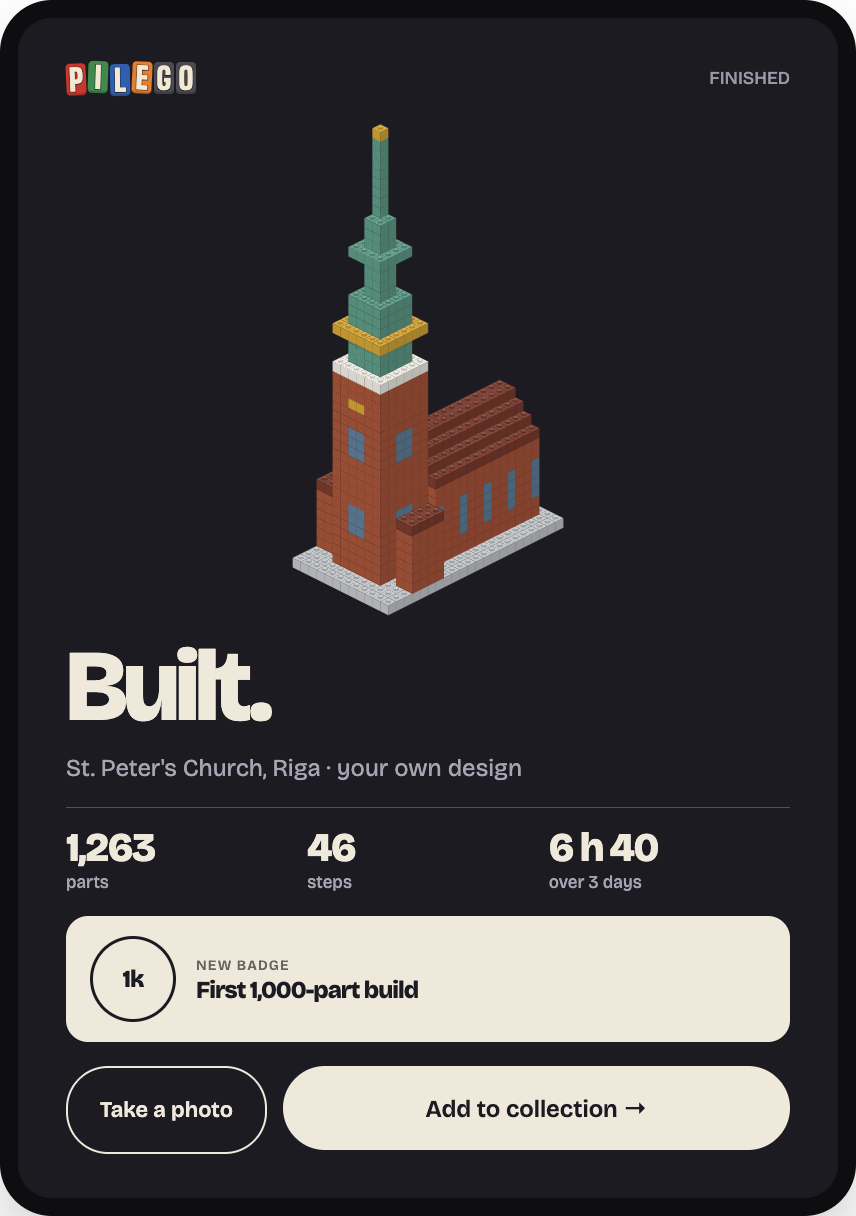
1,263 parts · 44 cm
Master · 16+
10,104 parts · 88 cm
Hollow inside: walls stay one brick thick and the inside is left empty. On Detailed that saves 48% of the parts.
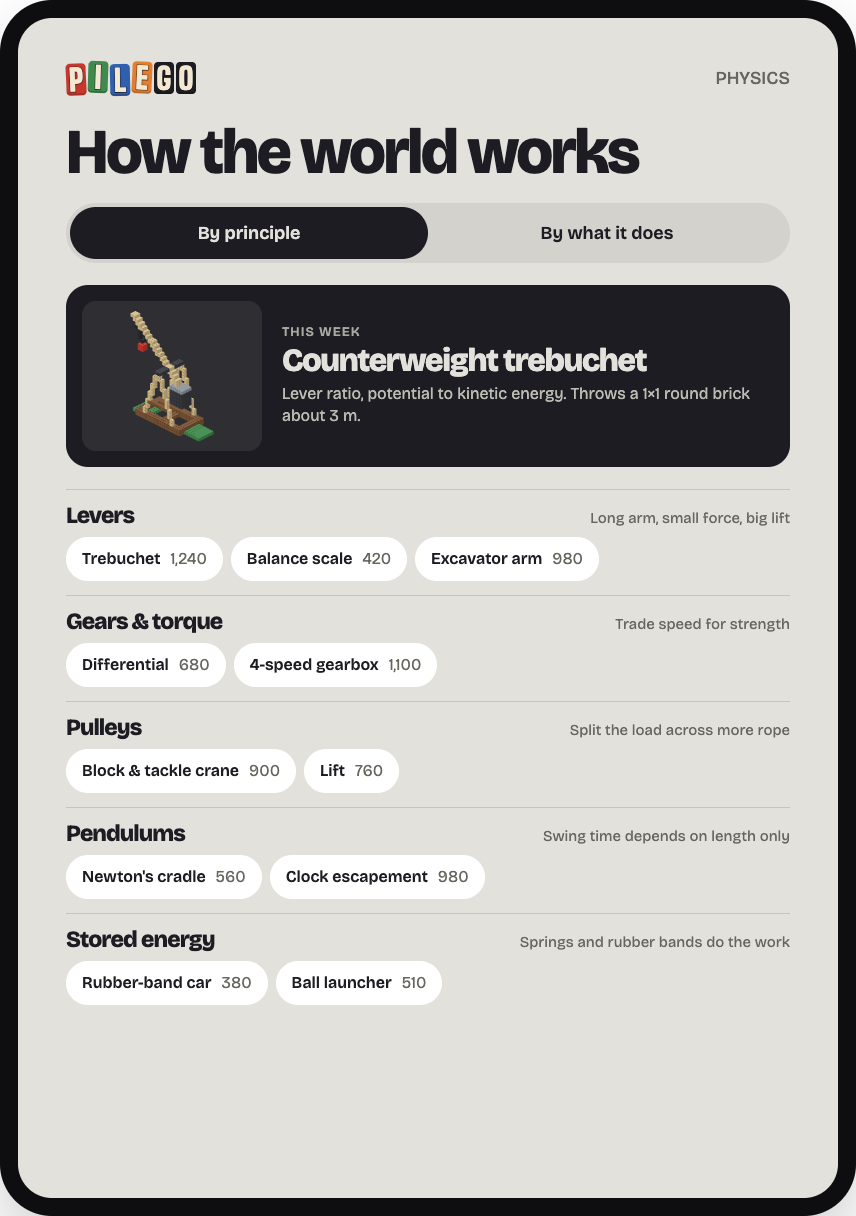
PHYSICS AND MECHANICS
Build it, then understand it
Projects grouped by the principle they teach (levers, gears, pulleys, pendulums, stored energy) or by what they do: move, lift, launch, measure.
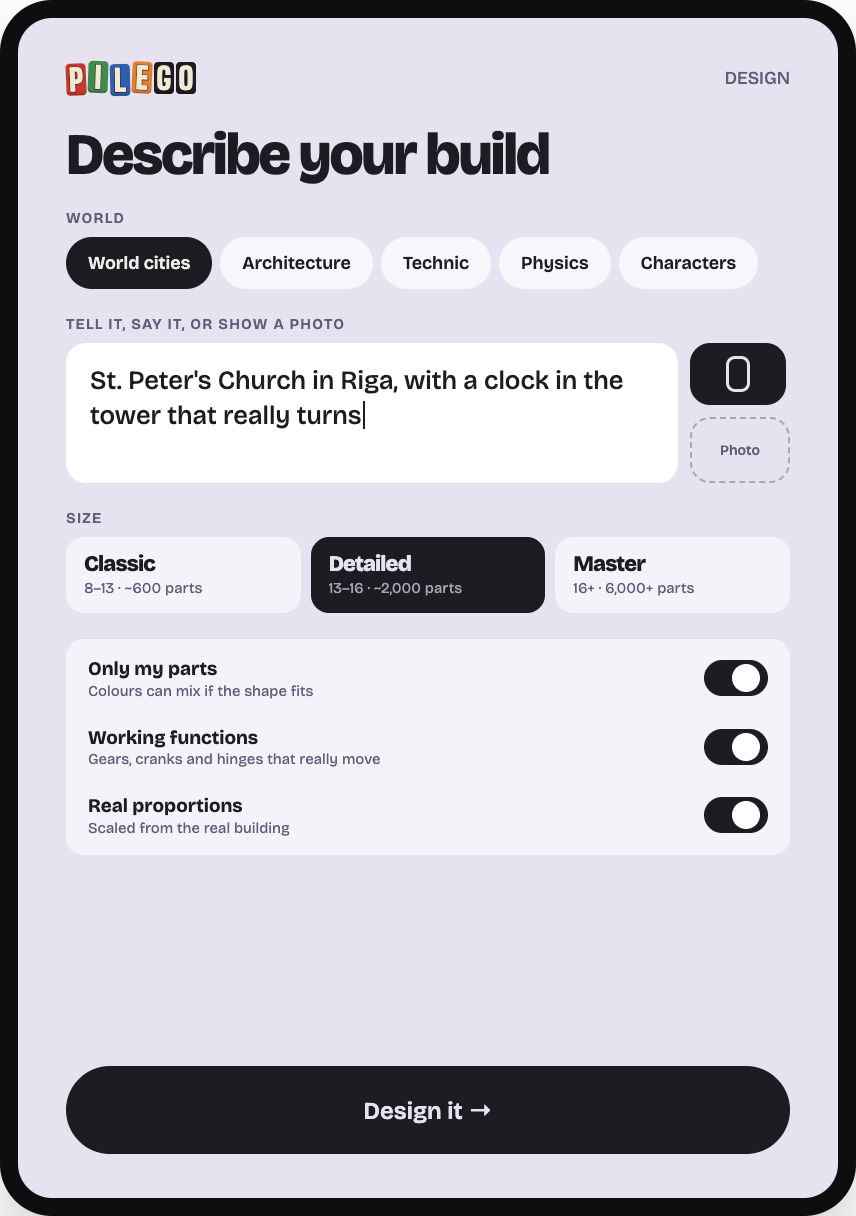
AI DESIGN
Type it, say it, or show a photo
AI designs a new model from the parts you own. Then you change it in plain words: "make the spire taller", "add a working clock".
03 · BUILD
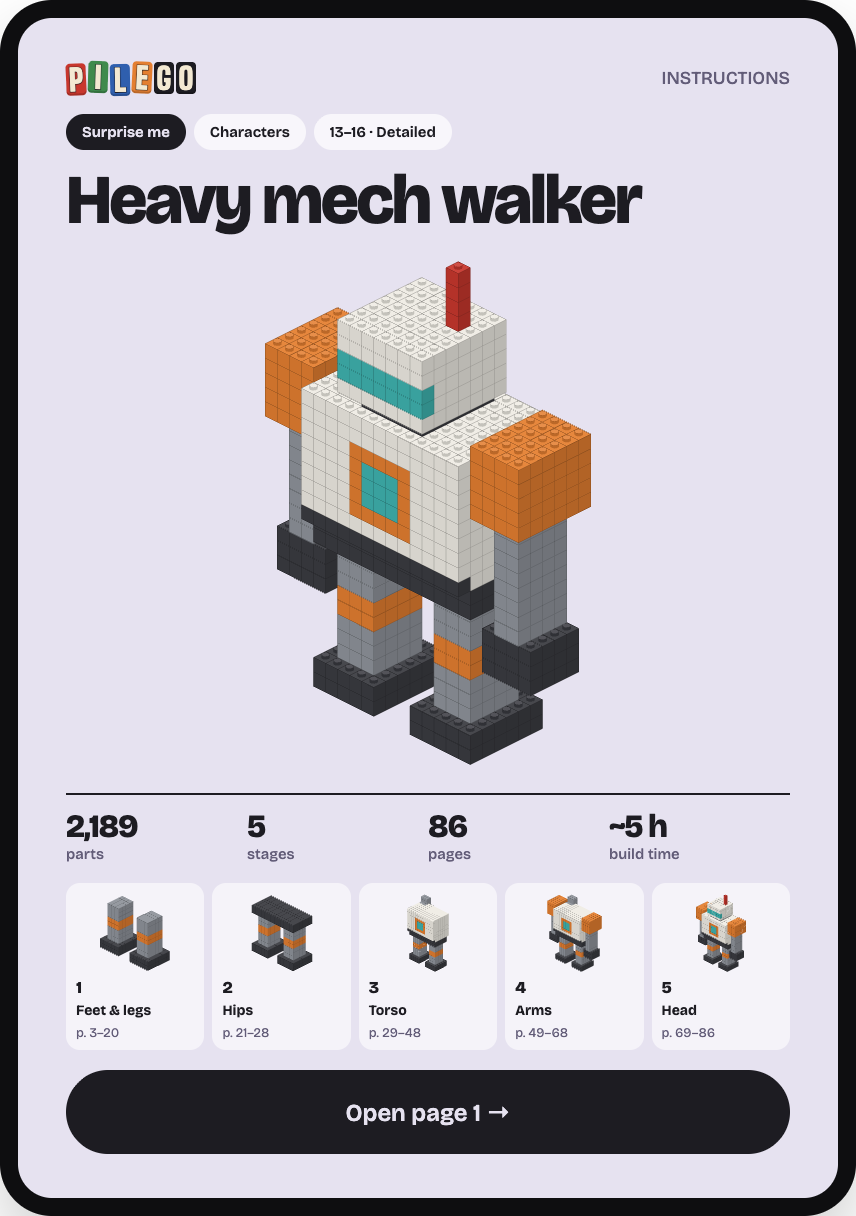
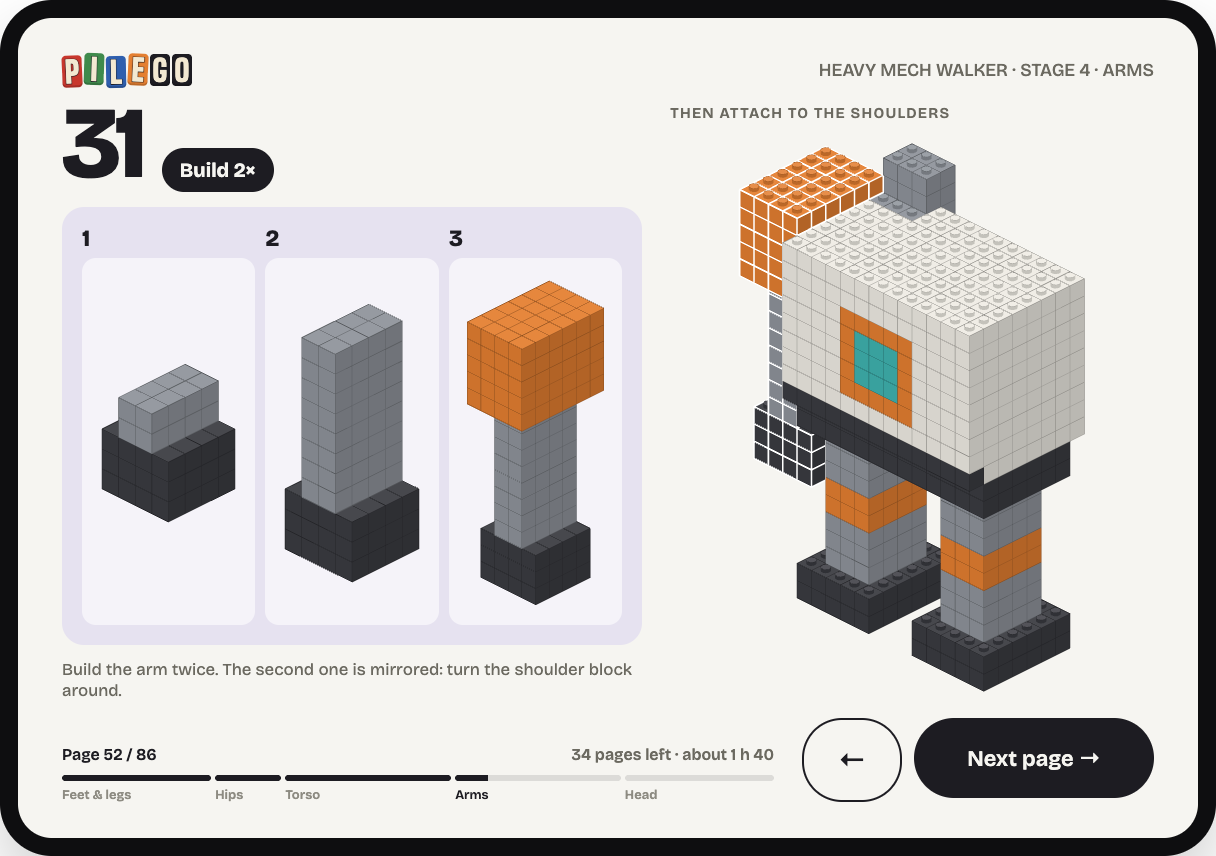
A full booklet for every design
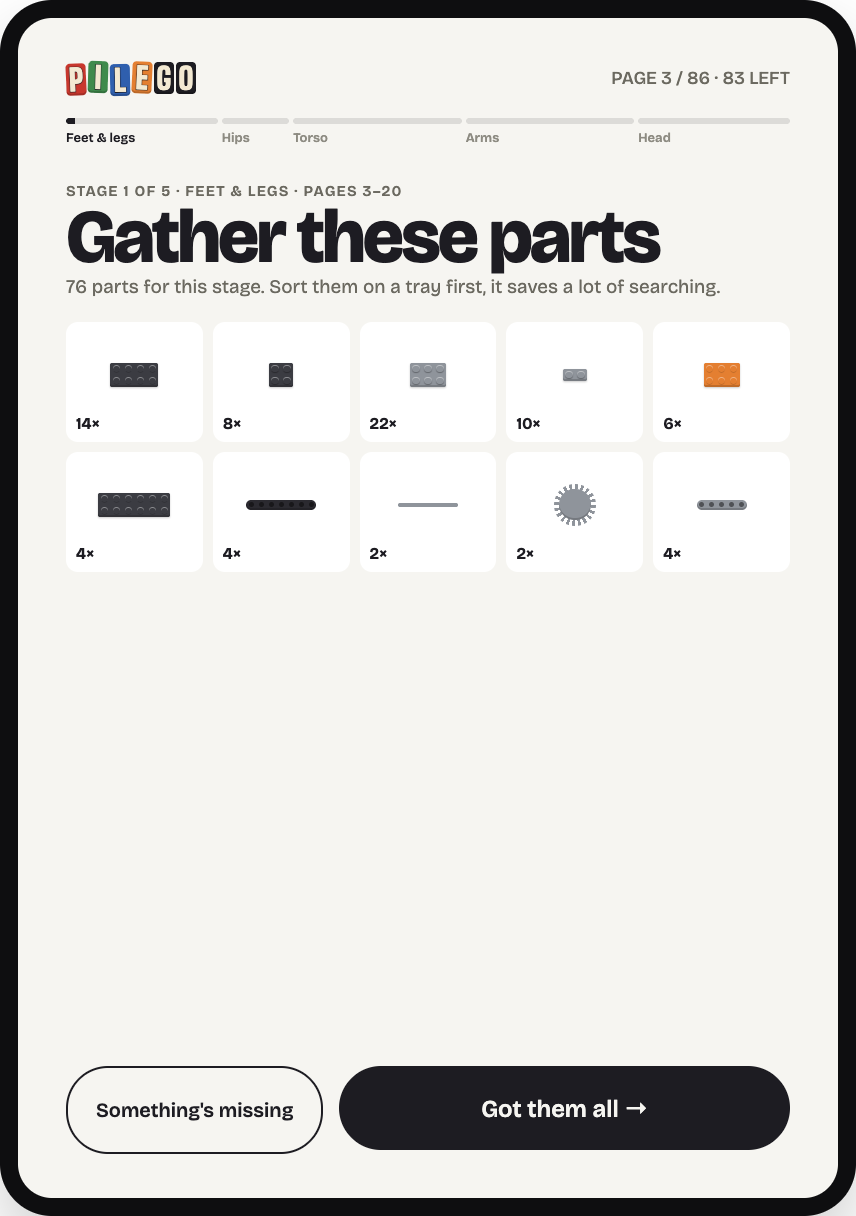
Split into stages, each starting with the parts to gather. This mech: 5 stages, 86 pages, about 5 hours.
Every page says how many are left
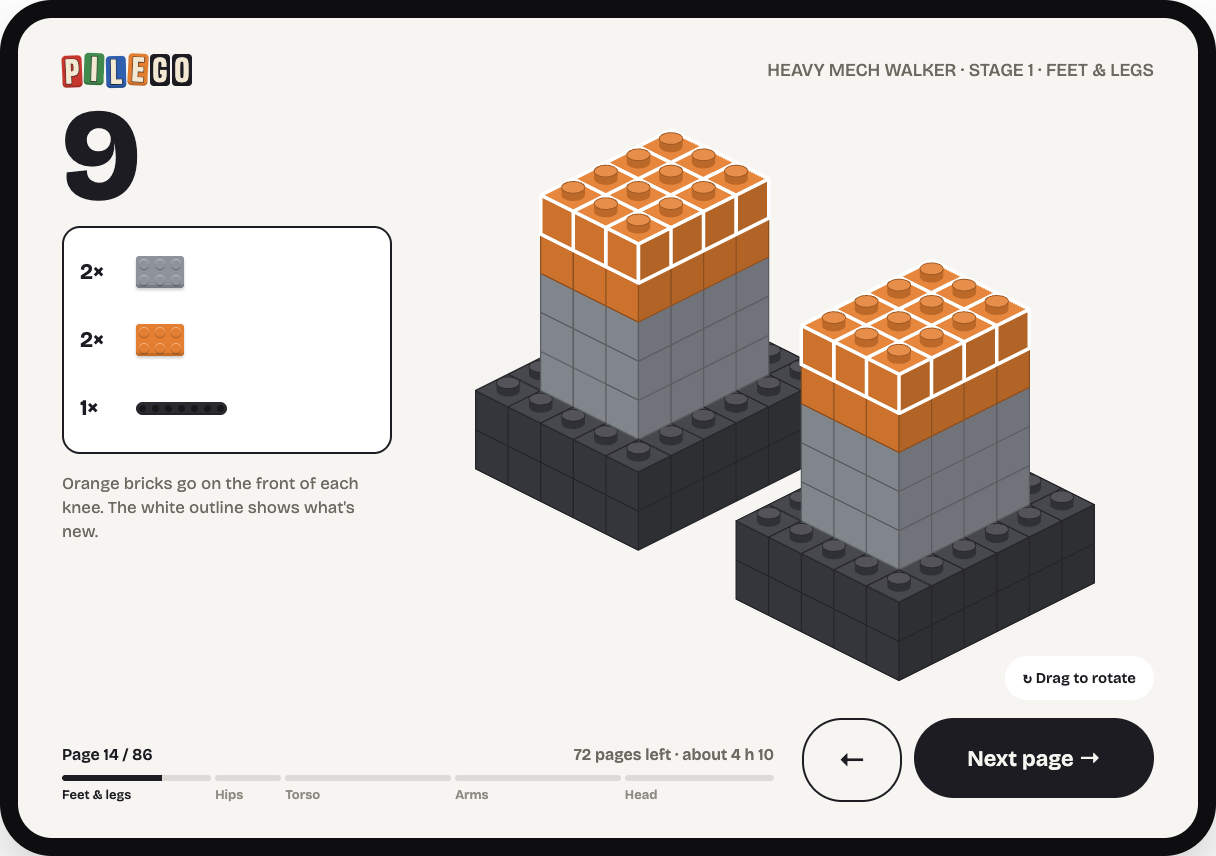
Parts call-out, new parts outlined in white, sub-assemblies framed, stage bar along the bottom.
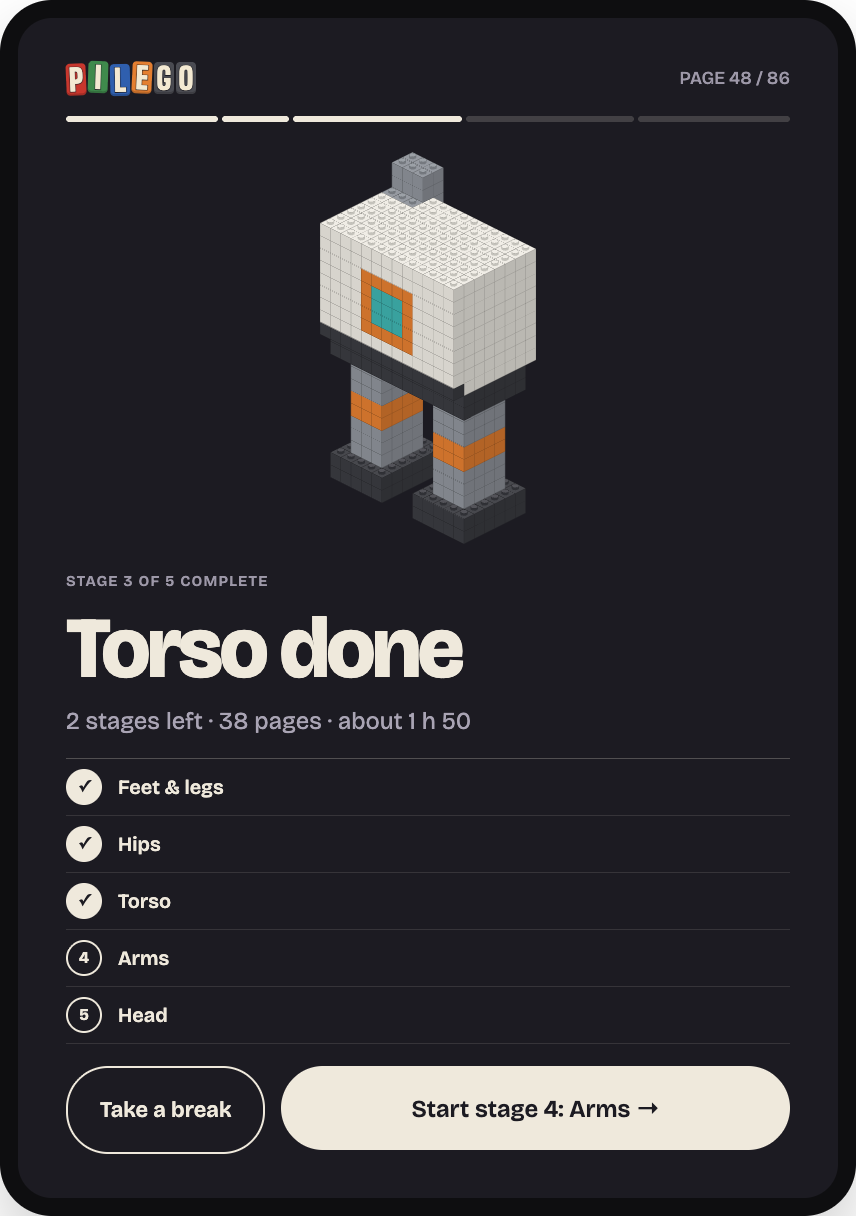
CHECKPOINTS
Natural places to stop
After each stage: what's done, what's left, how long it will take. Long builds can run over several days.
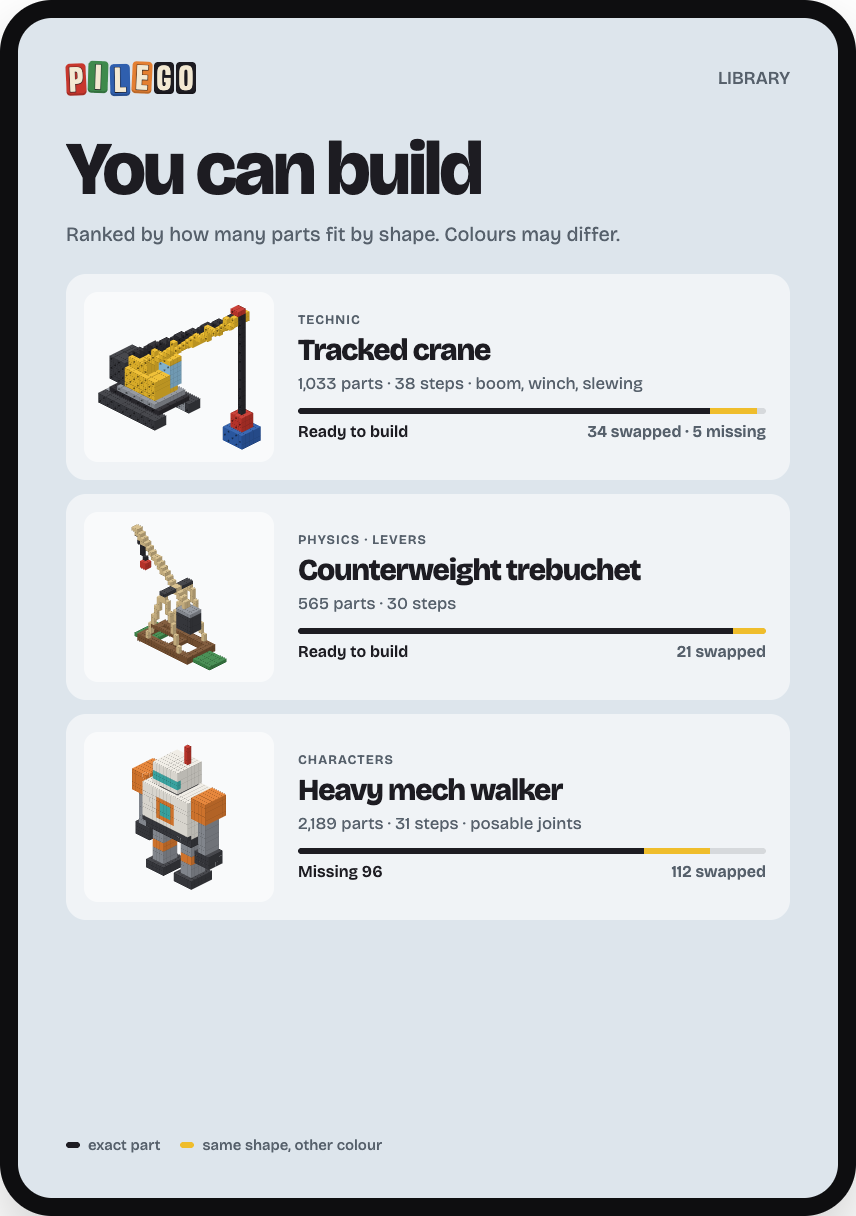
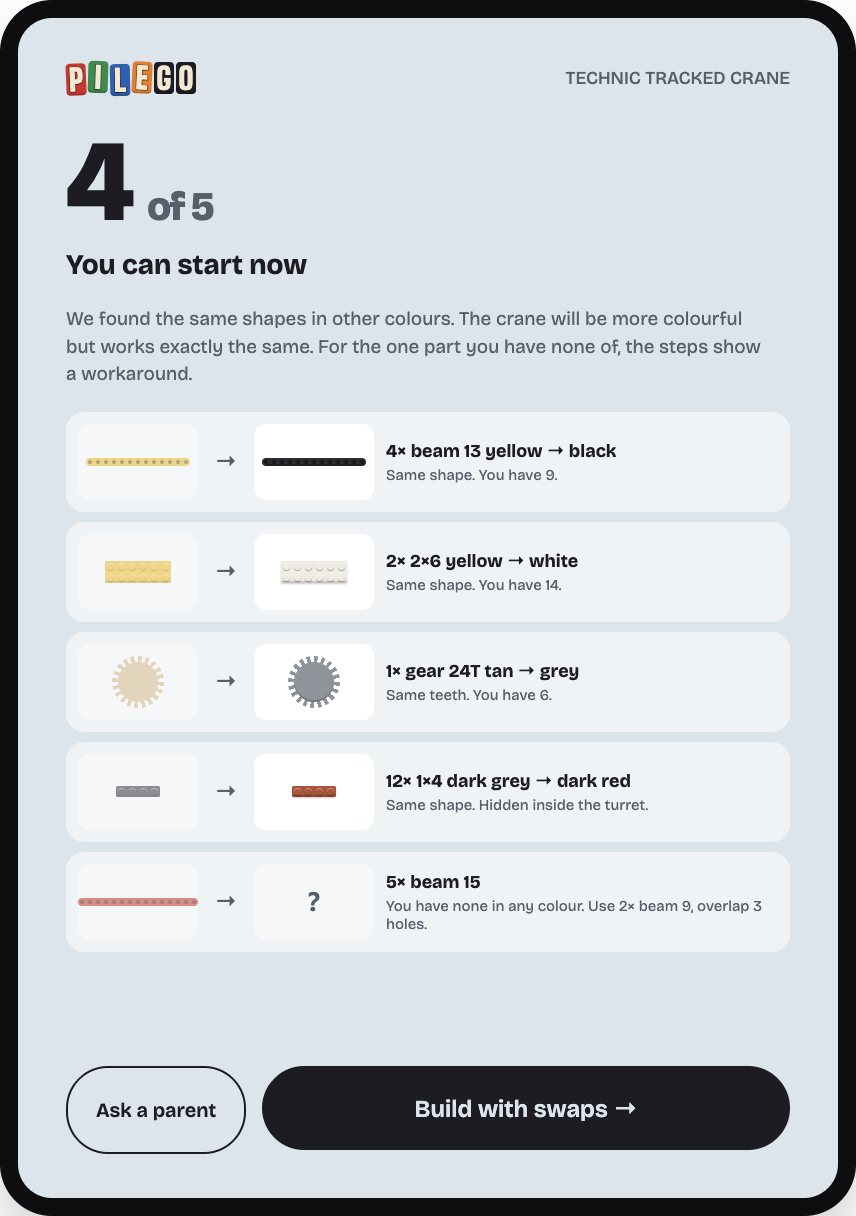
MISSING PARTS
Shape first, colour second
If a part is missing, the app looks for the same shape in any colour. A yellow beam instead of a black one still holds the crane up. What can't be swapped goes on the parents' list.
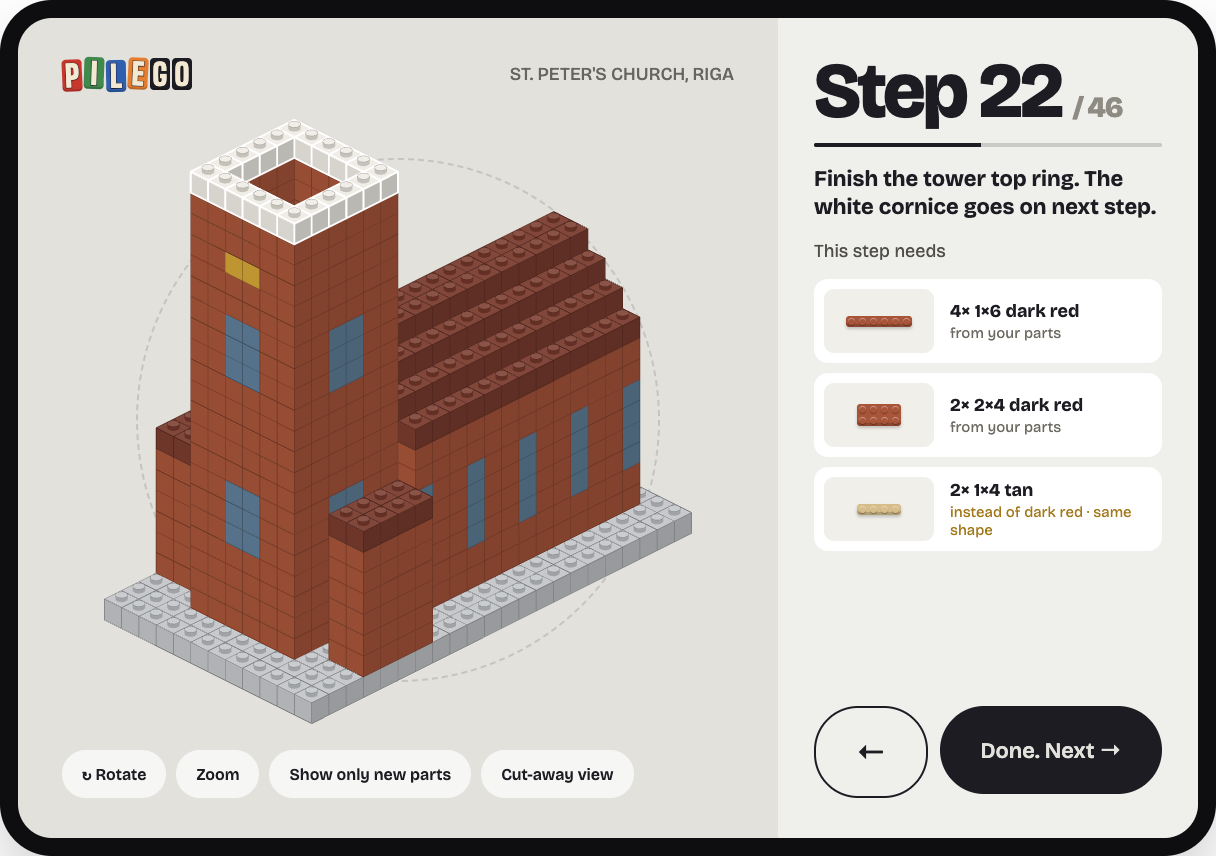
Tablet flat on the table
Landscape build mode: model you can rotate and cut away, step parts with swaps marked in yellow.
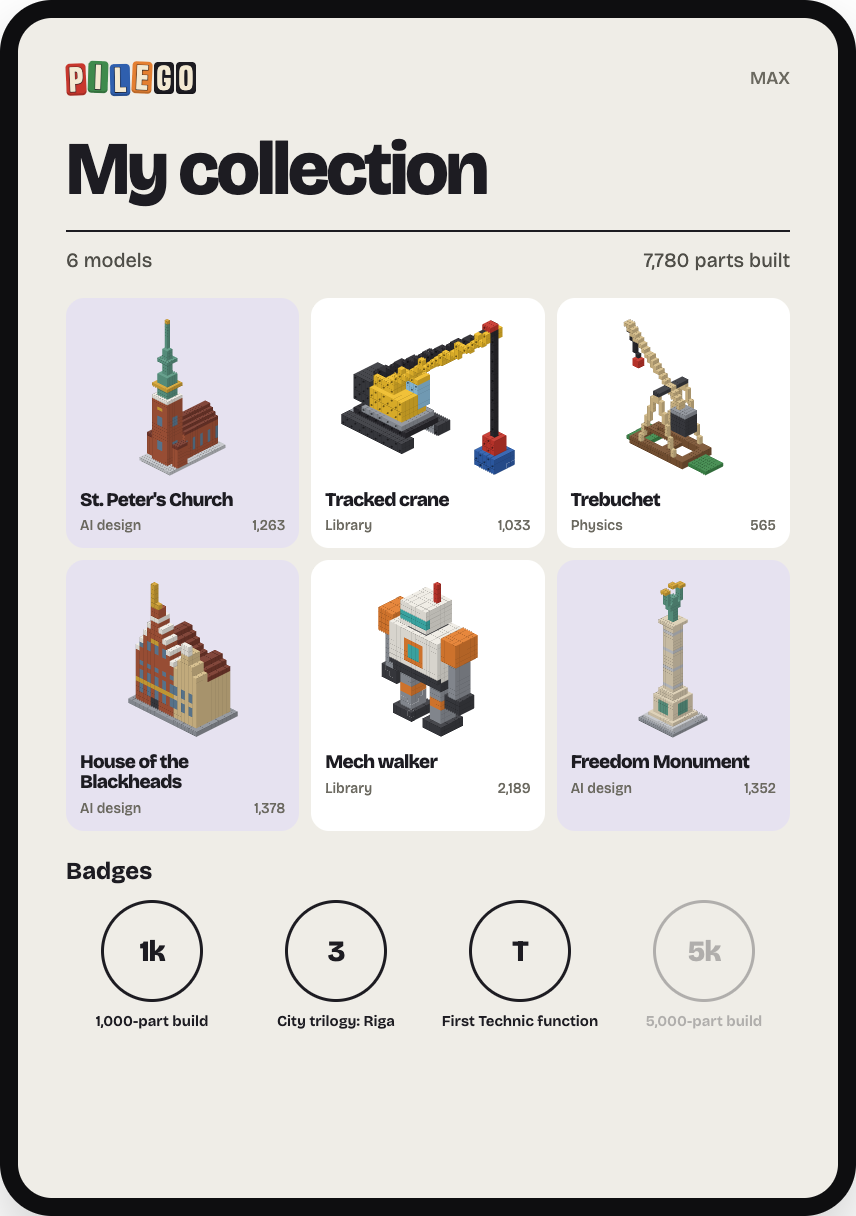
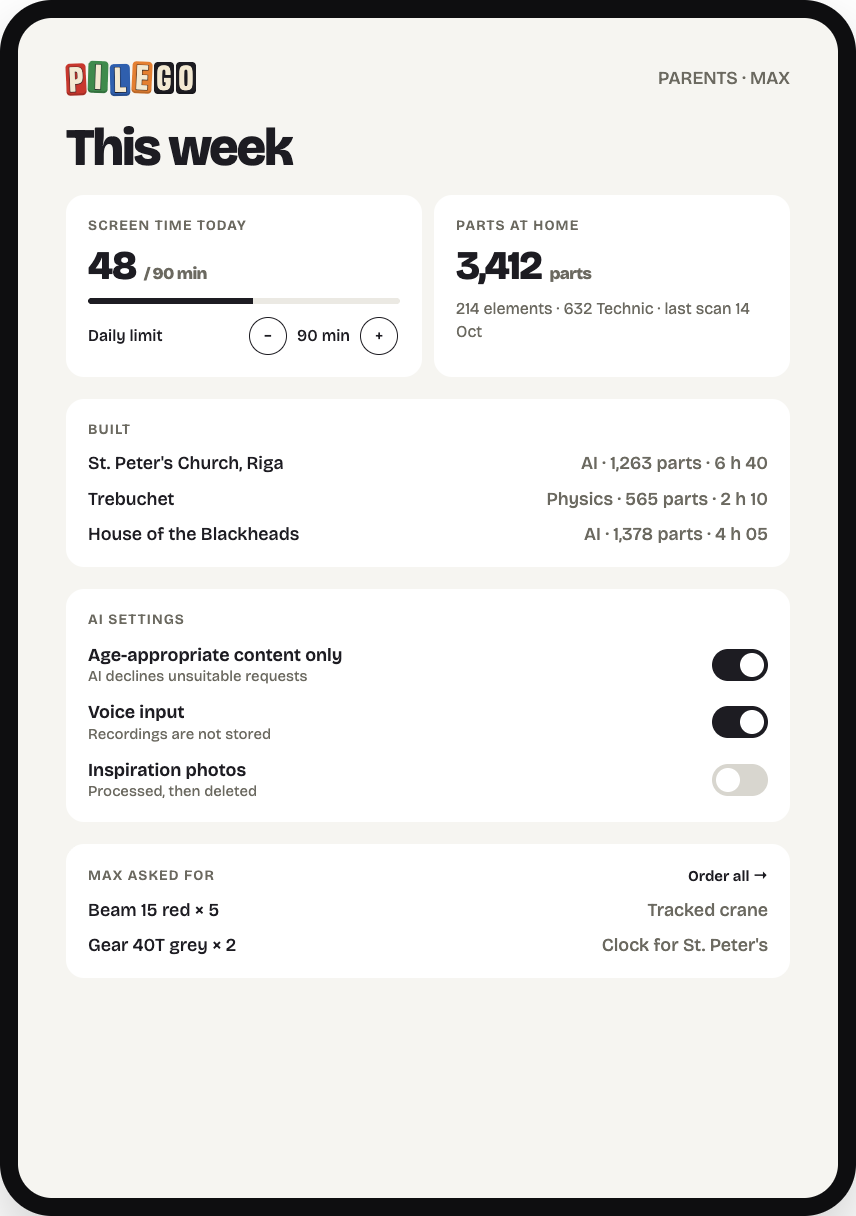
04 · COLLECT
For the kid, and for the parent
A collection with badges for the builder. For parents: screen time limit, what was built, the parts at home, AI settings and a list of parts to buy.
Brand
P
I
L
E
G
O
"pile" is tipped and jumbled, "GO" is straight and sorted.
Ink
Cream
Stud Yellow
Night
Sand
Sky
Stone
Lilac
Paper
Bricolage Grotesque
UI and headlines
Big Shoulders · logo
P
I
L
E
G
O
From a pile to something nobody has built before.